
LumaFusion: Pro Video Editing
LumaTouchVideo Players & Editors
4.1263.00 Reviews
- Version
- 2.7.0
- Installs
- 50.00K
- Age Rating
- Everyone
Screenshots
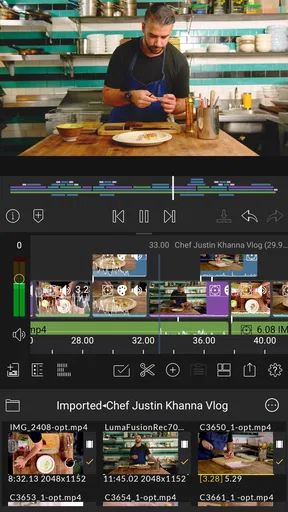
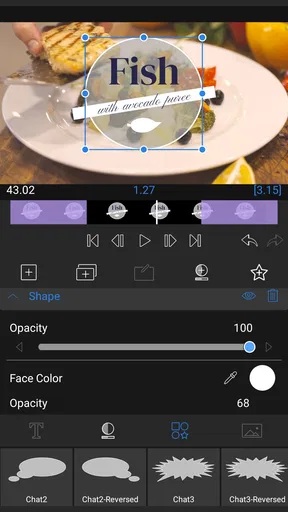
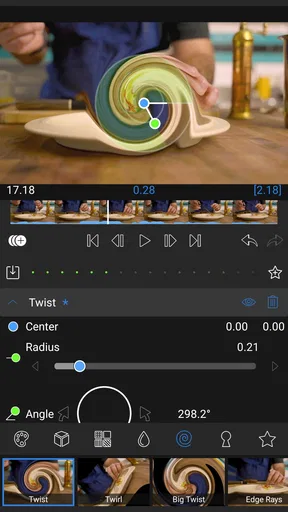
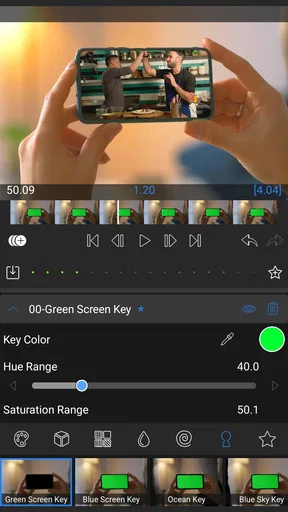
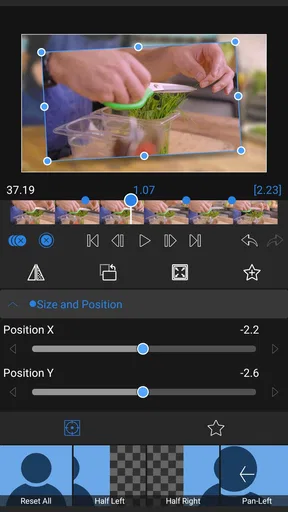
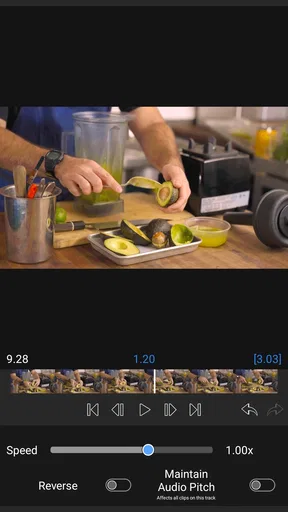
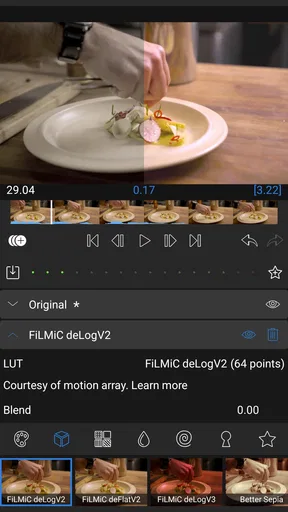
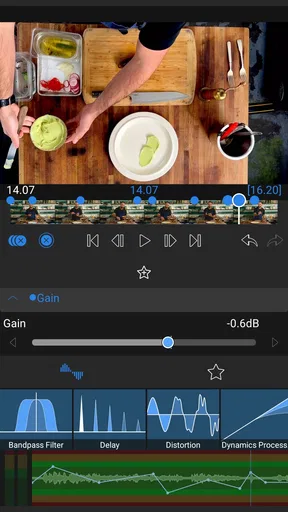
Our Review of LumaFusion: Pro Video Editing
 Analysis by Appyee
When I judge a mobile editor, I look beyond how many tools it puts on screen. I want to know whether I can understand what a project is doing, keep control of my own choices, and avoid surprises when a casual clip turns into something I care about. LumaFusion is a paid video-editing app from LumaTouch, and its multitrack approach makes it feel more like a compact editing desk than a quick filter-and-post tool. That extra depth can be a real advantage, but it also means the app asks more of you than a one-tap editor does.
Who benefits from a more deliberate editor
I’d consider it when a video needs a shape rather than just a trim: a spoken introduction over travel footage, a sequence of clips with music underneath, or a short project that needs titles and careful pacing. Having separate video and audio tracks lets me think in layers. For example, I can keep a music bed running while placing a voice clip and arranging visuals above it, instead of treating the whole edit as one flattened strip. That makes revisions easier when I decide the narration should begin later or a shot should stay on screen longer.
That freedom is useful for creators who make recurring videos, but it is not automatically the quickest route for every task. If all I need is to remove a few seconds from a clip and post it, a simpler editor may get me there with fewer decisions. LumaFusion makes more sense when I expect to adjust timing, balance several elements, or revisit the project after the first cut. The practical question is not whether a mobile app can do serious work; it is whether I will use enough of this editing room to justify learning it.
A realistic project, from clips to a finished cut
Imagine I have filmed a weekend walk: a few wide shots, close-ups of details, and a short piece to camera. I would first sort out the story in the timeline, choosing which shots carry the sequence and where the spoken part belongs. Then I could add music on its own track, trim it so it supports rather than competes with the voice, and use a title to identify the place. This is where the multitrack design earns its keep: changing one layer does not require rebuilding the whole video.
A useful habit is to settle the order and rough duration of clips before spending time polishing color or effects. Otherwise, I might tune a shot that later gets cut. I’d also listen to the edit with headphones before export; a soundtrack that seems subtle while I’m looking at the screen can feel too prominent when heard on its own. Those small checks are less glamorous than effects, but they prevent common last-minute fixes and make a mobile workflow feel more considered.
Trust, privacy, and the choices I can actually assess
For a video editor, trust is tied to the material I bring into it: personal footage, recorded conversations, and unfinished work can all be sensitive. I can make a careful choice about what to import and where to send a finished file, but I would not treat an editing app as a substitute for checking the privacy and permission details shown on my own device and in the relevant store. Those details can depend on platform and settings, so I avoid assuming that an app has access—or lacks access—to anything beyond what I choose to provide.
The most useful form of control is practical: review which clips you select, think before using a sharing destination, and keep a separate copy of irreplaceable originals. Cloud export can be convenient, but it changes where a finished video goes, so I would choose that route deliberately rather than tapping through automatically. If the footage is private, I’d also consider whether the people in it are comfortable with the intended audience. Those are ordinary editing decisions, yet they matter more than a polished interface when a project contains something personal.
Cost, learning time, and when I would choose something else
The purchase is a meaningful commitment for someone who edits only occasionally. The app costs $29.99, and optional in-app purchases range from $9.99 to $69.99 per item, so I would check the current purchase details before building a workflow around any extra. Its Everyone age rating describes the content classification, not the skill level: a new editor can start with basic cuts, but the track-based layout still rewards patience. I’d begin with a short practice project rather than making an important deadline the first test.
For a quick social post, a free, template-led editor may be a better fit because it can prioritize speed and ready-made presentation over fine control. For a project with several audio and video layers, I’d prefer LumaFusion’s more hands-on timeline to an editor that hides the structure behind automatic choices. And if I need a desktop-first setup or a workflow tied to particular professional tools, I would compare those options directly instead of assuming a phone or tablet editor should replace them. The best choice depends on where the work happens and how much control I actually need.
First Impressions: User Interface and Usability
Alright, folks, buckle up because we’re diving into the world of video editing with LumaFusion. If you've ever found yourself fiddling with your phone, dreaming of creating cinematic masterpieces, then this app might just be your new best friend. I took it for a spin on both Android and iOS, and here's the lowdown.
Let me just say, the first thing that hits you about LumaFusion is its sleek interface. It’s like jumping into a high-tech cockpit of creativity. The layout is intuitive, which is a big win because nobody wants to spend hours figuring out where everything is. From the timeline to the preview window, everything feels just a tap away. It’s as if the app anticipates what you need next. Kudos to the designers for making it feel so natural.
Features That Stand Out
Now, this is where the magic happens. LumaFusion isn’t just some basic editing app; it’s packed with features that will make your inner Spielberg jump for joy. You can work with up to six video and audio tracks, which is a game-changer for anyone looking to layer videos or add complex soundtracks. And the effects! Oh, the effects. From color correction to slow-motion tweaks, the possibilities are endless.
The app also offers a real-time preview which is super handy. You can see your edits come to life without waiting for a lengthy render, making the editing process smooth and efficient. Plus, if you're into adding titles and graphics, LumaFusion has a rich library to choose from. It’s like having a mini studio in your pocket.
Performance on Different Devices
I gave LumaFusion a whirl on both Android and iOS, and the performance was rock solid on both. The app feels optimized to make the most of your device’s capabilities. On my iPhone, it was buttery smooth, and even on a mid-range Android phone, it held its own. It didn’t crash or lag, which is a huge plus when you’re deep into a project.
However, it's worth noting that the experience can vary based on the device's specs. If you’re using an older model, you might notice some hiccups, but that’s par for the course with any intensive app.
Exporting and Sharing Options
Once you’ve crafted your masterpiece, LumaFusion makes it easy to share your work with the world. The exporting options are robust, allowing you to choose various resolutions and formats. Whether you’re aiming for a quick social media post or a full-fledged YouTube video, the app has got you covered.
One neat feature is the ability to export directly to cloud services. This is a lifesaver for collaborating with others or simply backing up your projects. The sharing capabilities are seamless and add to the app’s overall appeal.
Practical details before you commit
The app sits in the video players and editors category, and its current version is 2.5.6. It has a 4.3 average from around 2.8 thousand ratings, with over 50 thousand installs. I’d treat those figures as a sign that it has an established audience, not as a guarantee that every device or project will behave identically. LumaTouch is the developer, and the app was released on February 20, 2023.
On Android, the minimum operating system requirement is version 10. Before buying, I’d check that the device I plan to edit on meets that requirement and has enough comfortable screen space for a timeline. Editing on a small display is possible, but precise trimming and arranging clips can feel cramped; a larger phone or tablet makes the timeline easier to work with. If you expect to do longer sessions, it is worth testing your usual workflow on the actual device rather than judging solely by a feature list.
One question people often have is whether the upfront price covers every possible extra. The app costs $29.99, while optional in-app purchases are listed from $9.99 to $69.99 per item. I would decide first whether the core editing workflow suits me, then consider any additional purchase only if I know what specific need it addresses. That keeps the decision grounded in the work I actually do instead of buying extras on the assumption that more tools automatically make better videos.
How I’d keep a project manageable
Six video and audio tracks provide room to layer material, but they can also make a timeline harder to read if I add elements without a plan. I’d use the extra tracks purposefully: keep narration separate from music, reserve another layer for effects or supporting sound, and avoid duplicating clips unless there is a clear reason. This organization makes it easier to adjust one part without losing track of what the other layers are doing.
When a cut starts to feel messy, I’d pause and review it in sections rather than keep adding effects. First I’d check the order of shots, then the sound, and only then the visual treatment. That sequence is a useful trade-off in any layered edit: effects can make a moment look more finished, but they cannot fix unclear storytelling or distracting audio. A real-time preview helps me judge changes as I work, though I would still watch the complete export before sharing it.
For recurring work, I’d also keep original footage separate from finished exports and use clear names for project files. That is not a special feature claim; it is a practical safeguard against mixing a final delivery with source material. If several people are involved, I’d agree on where the approved export belongs before sending it. The app’s cloud-sharing option can simplify delivery, but it does not replace a simple naming and handoff routine.
When mobile editing is an advantage—and when it isn’t
The strongest case for this app is being able to shape a layered edit where the footage was captured, without waiting to reach a computer. A creator on a trip could assemble an update from clips taken during the day, add narration later, and export a version for friends or followers. A small business owner could prepare a short product demonstration with a title and music. In both cases, the benefit is not that a phone makes every task effortless; it is that the editing work can happen in the same place as the filming.
That convenience has limits. Long sessions on a compact screen can be tiring, and demanding footage may feel less responsive on older hardware. Storage and battery are also sensible things to consider before starting a large project, even though the exact experience depends on the device and material. If I were assembling a complex, long-form production with a desktop workflow already in place, I would likely stay with that setup rather than force the whole job onto mobile. LumaFusion is most appealing when portability is part of the point.
Compared with quick editors built around templates and automatic effects, this app gives me a more hands-on way to arrange and refine a cut. That is valuable when I want control over timing and layers, but it means I should expect to make more choices myself. Compared with desktop editing software, the advantage is access and portability, not an assumption that a mobile interface will suit every extended project. I’d choose according to the video I need to finish, not simply because one option sounds more professional.
Final Thoughts: Is LumaFusion Worth It?
If you’re serious about video editing on a mobile device, LumaFusion is definitely worth a look. The app’s combination of features, performance, and usability makes it a standout in the crowded world of mobile editors. It’s not just for professionals either; even if you’re a beginner, the learning curve isn’t too steep.
Sure, it’s not free, but the investment is justified by the sheer power and versatility you get. Whether you’re crafting a short film, a vlog, or just a fun video for friends, LumaFusion delivers. So go ahead, unleash your creativity, and let this app be your trusty sidekick in the editing adventure.
Verdict
Strengths of LumaFusion: Pro Video Editing
- User-friendly interface for all skill levels.
- Supports 4K video editing seamlessly.
- Extensive library of effects and transitions.
- Multitrack audio support for complex edits.
- Regular updates with new features.
Limitations of LumaFusion: Pro Video Editing
- Limited free version features.
- Exporting can be slow on older devices.
- No cloud storage integration.
- Steep learning curve for advanced features.
- Requires a large amount of storage space.
Similar Picks in This Category
View All
Google TV
Google LLC3.9

iTunes
Apple4.7

YouTube
Google LLC3.8

MX Player
Amazon Mobile LLC4.2

CapCut - Video Editor
Bytedance Pte. Ltd.3.5

PLAYit-All in One Video Player
PLAYIT TECHNOLOGY PTE. LTD.4.5
Frequently Asked Questions
What is LumaFusion and who is it for?
LumaFusion is a professional-grade video editing app designed for iOS devices. It's perfect for filmmakers, journalists, and content creators who need powerful editing tools on the go. With features like multi-track editing, color correction, and audio mixing, it's ideal for both amateurs and seasoned professionals looking to edit videos directly on their iPhone or iPad.
What are the key features of LumaFusion?
LumaFusion offers a range of robust features, including multi-track editing with up to six video and six audio tracks, a magnetic timeline, and a variety of transitions and effects. It also provides advanced color correction tools, support for multiple aspect ratios, and the ability to export in various resolutions, making it a comprehensive tool for video editing.
Does LumaFusion support 4K video editing?
Yes, LumaFusion supports 4K video editing, allowing users to import, edit, and export videos in 4K resolution. This makes it an excellent choice for professional content creators who require high-quality video outputs. The app efficiently manages 4K files, ensuring smooth playback and editing without compromising on performance.
Is LumaFusion compatible with Android devices?
As of now, LumaFusion is exclusively available for iOS devices, including iPhones and iPads. There is no official version for Android devices. Users with iOS devices can enjoy its full range of features, but those on Android will need to look for alternative apps that offer similar functionalities.
What are the system requirements for LumaFusion?
LumaFusion requires an iOS device running iOS 13.0 or later. It is optimized for the latest iPhones and iPads, offering the best performance on newer models. While it can run on older devices, users may experience limited functionality or slower performance, especially when working with large or complex projects.
